MICROWAVE
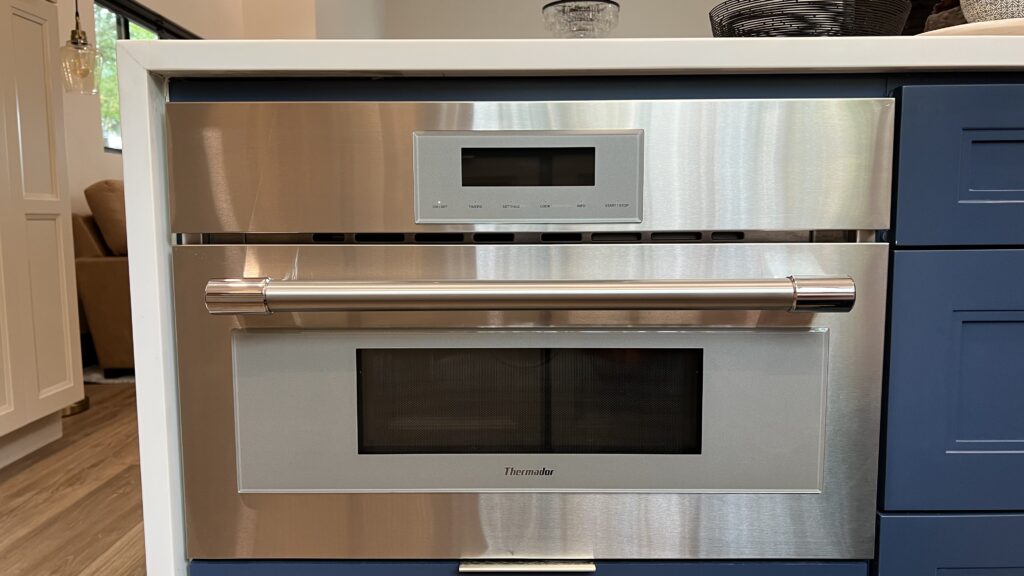
This amenity guide is our companion for getting the microwave going.
Steps
1
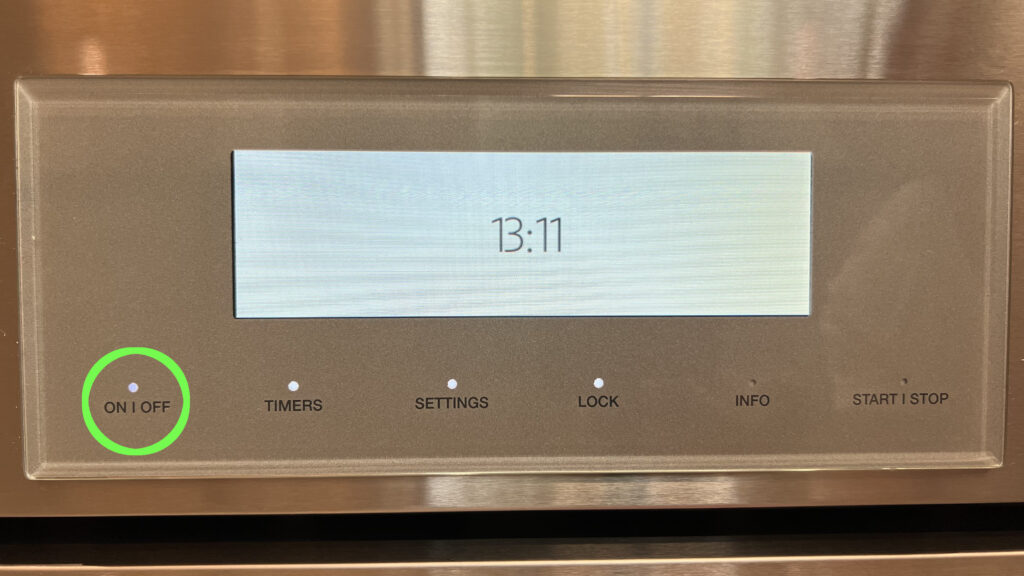
Press the “ON | OFF” button
The microwave should turn on, and a menu should appear showing options for “Bevarage”, “Microwave”, and “Popcorn”..
2
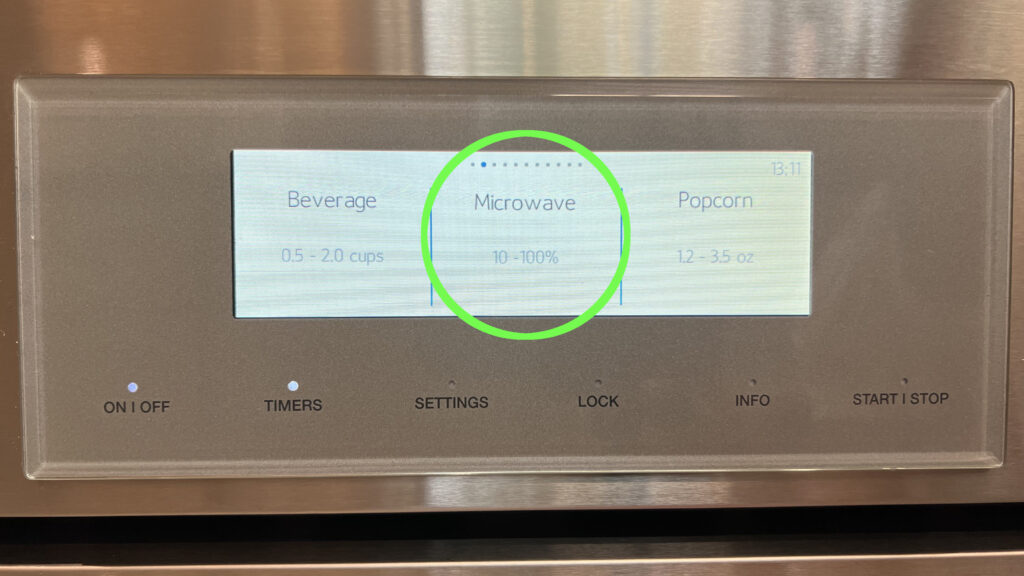
Press the “Microwave” text on the screen
Press the text on the screen where it displays “Microwave”. We should see a timer-settings screen appear.
We could touch and swipe the screen, but the “Microwave” option should handle most of our needs.
3
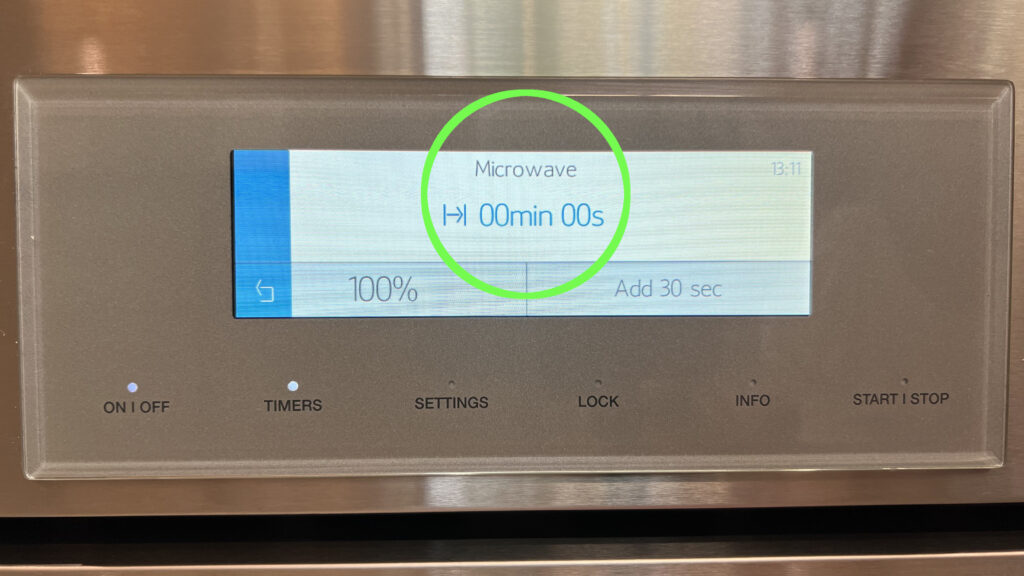
Press the “|->| 00min 00s” text on the screen
Press the text on the screen where it displays “|->| 00min 00s”. This takes us to another screen where we can do fine adjustments to the timer as needed.
4
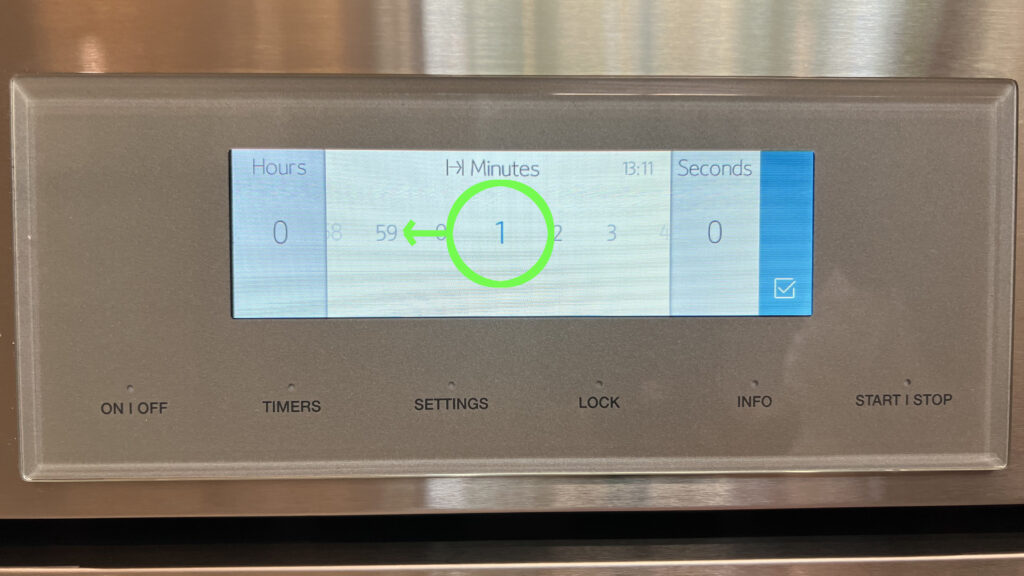
Touch and swipe on the “|->| Minutes” section
Touch and swipe the text on the screen to set the timer minutes amount as needed.
5
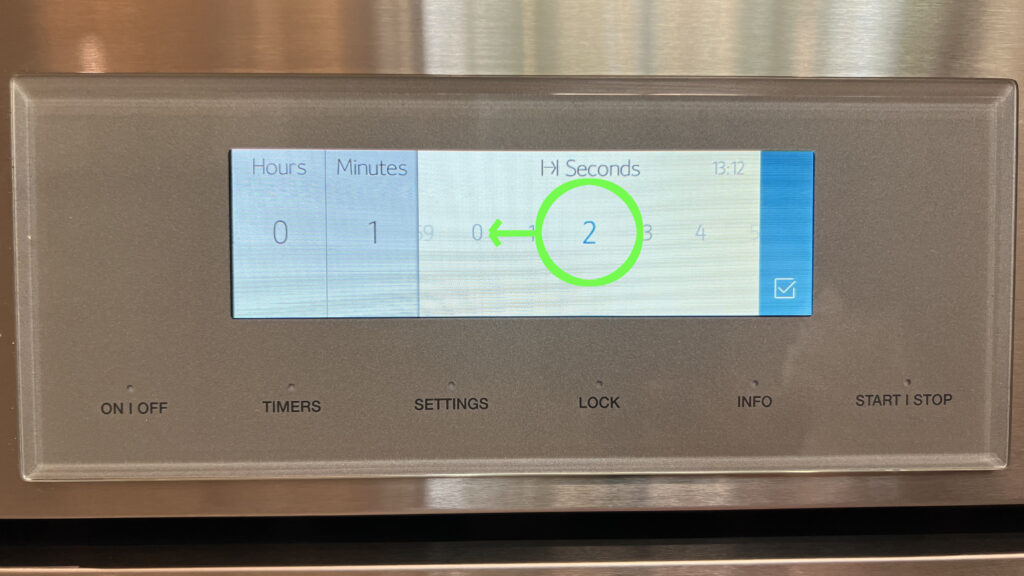
Touch and swipe on the “|->| Seconds” section
Touch and swipe the text on the screen to set the timer seconds amount as needed.
6
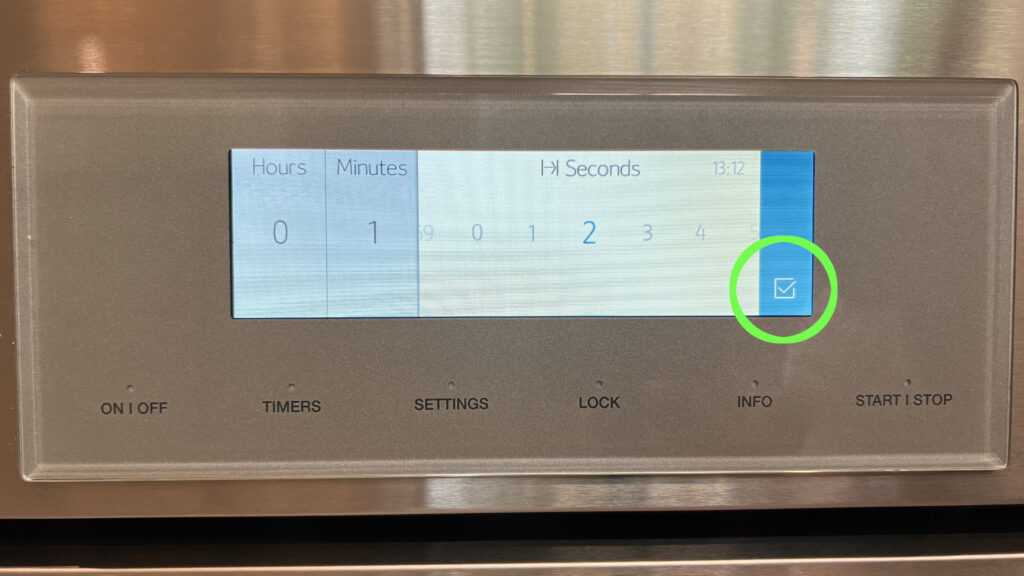
Press the blue check-marked box
This allows us to finish setting the time on the timer.
7
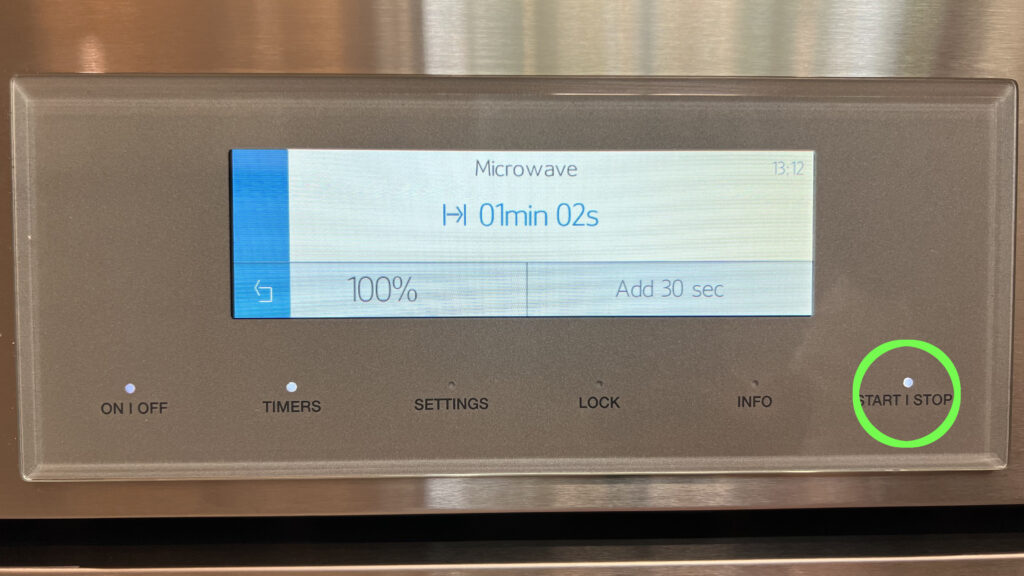
Press the “START | STOP” button
This allows us to start the microwave heating our food or beverage.
8
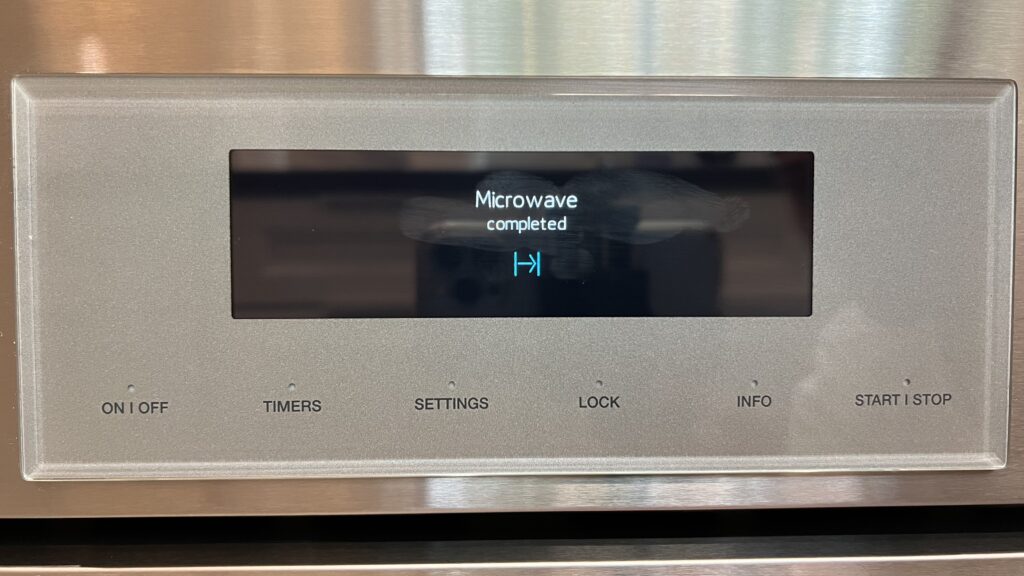
Enjoy our warmed-up food or beverage
The microwave should display “Microwave completed |->|”. Now, we can open the microwave door, and enjoy our warmed-up food or beverage.